









19
Z90 Pro(新品)

Get 10% Off Plus Free Gifts Worth $100 for Every Bundle

Key Features
三鏡頭選項
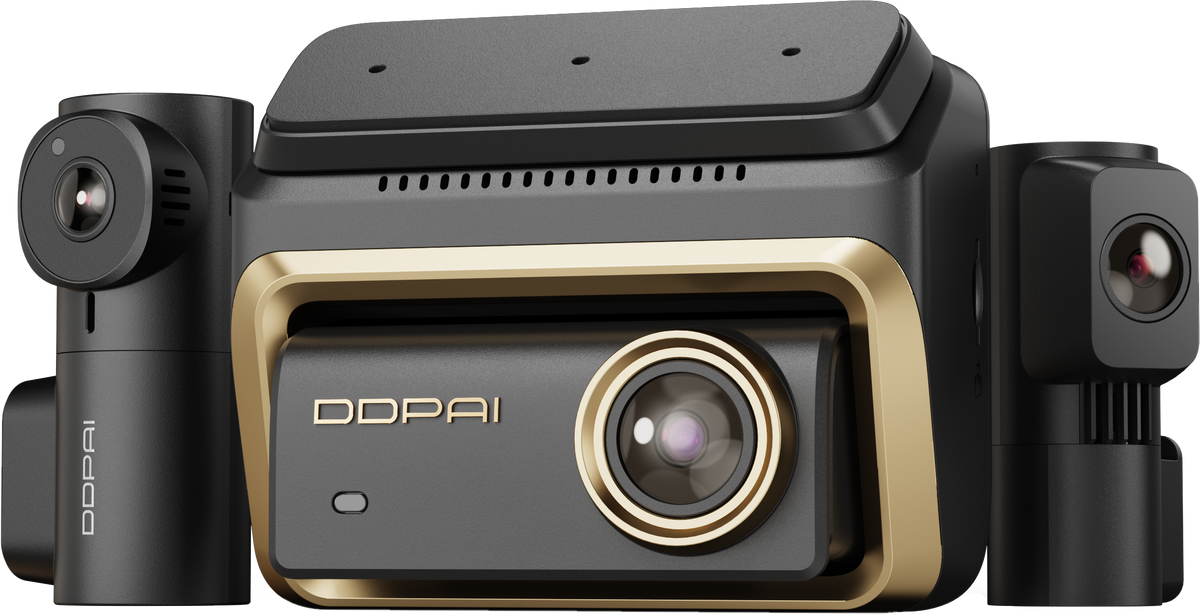
3CH 版本支援 4K 前方、2K 後方及 3K 車內錄影。
Sony STARVIS 2
前鏡頭採用 Sony STARVIS 2 感光元件。
D²save 雙重儲存
64GB eMMC 儲存空間,可透過 MicroSD 擴充至 512GB。


Z90 Pro(新品)
促銷價$269.00
原價$319.00
See It in Action
Unboxing
Features
Reviews
Installation

Seamless Experience
By Hubert C.
Z90 Master 3-Channel Dash Cam
By Hubert C.
Seamless Experience
By Hubert C.
Family outing and fun
By Hubert C.
Seamless Experience
By Hubert C.
Z90 Master 3-Channel Dash Cam
By Hubert C.
Seamless Experience
By Hubert C.
Family outing and fun
By Hubert C.
Seamless Experience
By Hubert C.
Z90 Master 3-Channel Dash Cam
By Hubert C.
Seamless Experience
By Hubert C.
Family outing and fun
By Hubert C.
Seamless Experience
By Hubert C.
Z90 Master 3-Channel Dash Cam
By Hubert C.
Seamless Experience
By Hubert C.
Family outing and fun
By Hubert C.

Flagship Triple Vision. Full Digital Clarity.
Watch Video


Total Coverage in 4K+4K+3K
Industry-leading 4K front, 4K rear, and 3K cabin setup. Captures every angle in crystal-clear detail, day and night.

Dual Sony IMX678 & Triple HDR
Capture sharp, balanced footage across every channel, day or night, so critical details stay clear when you need them most.

No Glare, Just Clarity
With a CPL filter, reflections and harsh glare are reduced for sharper footage and clearer license plates—day or night. No washouts. Just clear proof when it counts.

AI Portrait & IR Interior Camera
3K HDR balances light for natural skin tones. Dual IR lights keep every seat visible at night. Clear footage, complete cabin coverage—protection for every ride.

4G Connected. Always Protected.
Remote live view, collision alerts, geofencing, and cloud backup—all from your phone, anywhere. Because peace of mind shouldn't stop when you walk away.

24/7 Parking Monitoring
Motion-triggered recording, impact detection, and low-power protection—your car stays guarded even when parked. Evidence locked automatically. No worries.

Built to Last
Designed for greater heat resistance and long-term reliability, keeping your dash cam powered and your critical footage protected in demanding conditions.

No Glare, Just Clarity
CPL Filter Reduces reflections and glare from glass, metal, and other shiny surfaces, enhancing overall footage quality.

Total Coverage in 4K+4K+3K
Industry-leading 4K front, 4K rear, and 3K cabin setup. Captures every angle in crystal-clear detail, day and night.

Dual Sony IMX678 & Triple HDR
Capture sharp, balanced footage across every channel, day or night, so critical details stay clear when you need them most.

No Glare, Just Clarity
With a CPL filter, reflections and harsh glare are reduced for sharper footage and clearer license plates—day or night. No washouts. Just clear proof when it counts.

AI Portrait & IR Interior Camera
3K HDR balances light for natural skin tones. Dual IR lights keep every seat visible at night. Clear footage, complete cabin coverage—protection for every ride.

4G Connected. Always Protected.
Remote live view, collision alerts, geofencing, and cloud backup—all from your phone, anywhere. Because peace of mind shouldn't stop when you walk away.

24/7 Parking Monitoring
Motion-triggered recording, impact detection, and low-power protection—your car stays guarded even when parked. Evidence locked automatically. No worries.

Built to Last
Designed for greater heat resistance and long-term reliability, keeping your dash cam powered and your critical footage protected in demanding conditions.

No Glare, Just Clarity
CPL Filter Reduces reflections and glare from glass, metal, and other shiny surfaces, enhancing overall footage quality.
Built for Every Drive
From everyday drives to unexpected moments, Z90 Master is built to keep you covered wherever the road takes you, and give you peace of mind on every drive.


Choose Your Z90 Master Setup
Choose the coverage and connectivity that fit the way you drive—from essential dual-channel recording to full three-channel protection with 4G connectivity.


What's in the Box

Z90 Master 2CH
1Front Camera
2Rear Camera
3CPL Filter
4Pry Tool
5Car Charger
63.5m Power Cable
76m Rear Camera Extension Cable
8User Guide
93M Adhesive
10Electrostatic Sticker

Z90 Master 2CH + Hardwire Kit
1Front Camera
2Rear Camera
3CPL Filter
4Pry Tool
56m Rear Camera Extension Cable
6User Guide
73M Adhesive
8Electrostatic Sticker
9IPS Hardwire Kit

Z90 Master 2CH 4G
1Front Camera
2Rear Camera
3CPL Filter
4Pry Tool
56m Rear Camera Extension Cable
6User Guide
73M Adhesive
8Electrostatic Sticker
9IPS Hardwire Kit
104G Module

Z90 Master 3CH
1Front Camera
2Interior Camera
3Rear Camera
4CPL Filter
5Pry Tool
6Car Charger
73.5m Power Cable
86m Rear Camera Extension Cable
9User Guide
103M Adhesive
11Electrostatic Sticker
121-to-2 Adapter Cable

Z90 Master 3CH + Hardwire Kit
1Front Camera
2Interior Camera
3Rear Camera
4CPL Filter
5Pry Tool
66m Rear Camera Extension Cable
7User Guide
83M Adhesive
9Electrostatic Sticker
101-to-2 Adapter Cable
11IPS Hardwire Kit

Z90 Master 3CH 4G
1Front Camera
2Interior Camera
3Rear Camera
4CPL Filter
5Pry Tool
66m Rear Camera Extension Cable
7User Guide
83M Adhesive
9Electrostatic Sticker
101-to-2 Adapter Cable
11IPS Hardwire Kit
124G Module
Which is the Best for You?
${ getProductBriefDescription(values[0]) }
${ getProductPrice(0) }
${ formatMoney(variantsCurrent[0] && variantsCurrent[0].compare_at_price) }
${ getProductBriefDescription(values[1]) }
${ getProductPrice(1) }
${ formatMoney(variantsCurrent[1] && variantsCurrent[1].compare_at_price) }
${ getProductBriefDescription(values[2]) }
${ getProductPrice(2) }
${ formatMoney(variantsCurrent[2] && variantsCurrent[2].compare_at_price) }
General
相機
影片解析度
影片解析度
影片解析度
HDR
HDR
HDR
視野
視野
視野
光圈
光圈
光圈
影片編碼
影片編碼
影片編碼
影片格式
影片格式
影片格式
IMU
IMU
IMU
功能系列
4G 連線能力
4G 連線能力
4G 連線能力
內建 GPS
內建 GPS
內建 GPS
APP 控制
APP 控制
APP 控制
停車監控
停車監控
停車監控
Wi-Fi 與 Bluetooth
Wi-Fi 與 Bluetooth
Wi-Fi 與 Bluetooth
儲存空間
儲存空間
儲存空間
語音控制
語音控制
語音控制
GNSS
GNSS
GNSS
ADAS
ADAS
ADAS
一般
產品尺寸
產品尺寸
產品尺寸
重量(正面)
重量(正面)
重量(正面)
顯示螢幕
顯示螢幕
顯示螢幕
顯示螢幕解析度
顯示螢幕解析度
顯示螢幕解析度
其他
麥克風
麥克風
麥克風
揚聲器
揚聲器
揚聲器
超級電容
超級電容
超級電容
工作溫度
工作溫度
工作溫度
儲存溫度
儲存溫度
儲存溫度
電源介面
電源介面
電源介面
Check out suitable Cam Parts


Frequently Asked Questions
1. What kind of sd card should i use with the DDPAI dash cam?
We recommend using a U3 or higher specification memory card. The recommended brands are: DDPAI, Kingston, Samsung, Toshiba, and Lexar.
2. How to format the storage card/internal storage?
Format the memory card (Method 1): Press the (Settings) button on the home screen of the device, select “Format,” and select to format the SD card or internal storage.
Format the memory card (Method 2): After the mobile phone successfully connects to the device, enter the “Camera Settings” interface, tap“Storage Management”and select to format the SD card or internal storage.
Format the memory card (Method 3): Remove the memory card, insert it into the card reader, and connect it to the computer. Find the memory card drive, Right-click and select “Format”.
3. What is the Wi-Fi password of the Dash Cam?
The default Wi-Fi password of the device is “1234567890”. You can change the password, go to “Camera Settings” > “Set WIFI Password” after connecting the APP with your mobile phone.
4. Can I change the Wi-Fi password of the Dash Cam?
It can be modified. The specific modification method is to enter “Device Settings” interface after the Dash Cam is connected to the mobile phone, select “Device Wi-Fi Password” after entering, enter a new password, confirm it, and save it.
5. How do I reset the Dash Cam?
In case of abnormal state, press the function button for approximately 6 seconds to reset the device. After successful reset, the device will automatically restart.
6. What if I forget the Wi-Fi password?
Press the function button for approximately 6 seconds to reset the device, and then connect the Dash Cam again (default password: 1234567890).
7. What should I do if thetime is incorrect?
Connect your device to you mobile phone via the DDPAI app, and make sure the app is connected to the camera’s Wi-Fi. The camera will automatically synchronize the phone time through the app.
8. What is AI-ISP?
AI-ISP technology can more accurately identify and analyze the content in the image through massive data learning, training, and understanding, and adjust various parameters of the image according to different scenes and needs, making the image details clearer and the color reproduction more accurate.
8. How to use the SR function?
In the video playback and download interface, you can use the SR switch to select whether to display the SR effect.
9. Why can’t I see the SR effect?
① First check whether the device is successfully positioned.
② After the positioning is successful, the app will be connected for a few minutes and then download the video to have the SR effect. If there is no SR effect, please contact customer service.
10. Why does the MINI3X produce a purplish glare in the interior image during daytime recording?
This is caused by stray light entering the lens when sunlight hits it at a specific angle due to certain installation environments. You can resolve this issue by adjusting the installation position. Please install the internal device (MINI3X) as close to the roof headliner as possible.
Show More